

Hands On With the Logitech G A20X and MX Master 4
Logitech has a wave of new kit coming out, my favourite of which is the Logitech G Astro A20 X Lightspeed, here on out called the A20 X for brevity.
I’ve been hunting for a new headset to wear at work to block out bosses and coworkers and using the A20 X for this purpose is like using a Ferrari for a carboot sale, it has so much functionality for entertainment that letting it waste away at work just won’t do. Which is unfortunate because after two weeks of constant use wearing them from morning till night on the commute and beyond they never stopped being comfortable to wear. Any over-ear headphones that are able to achieve this without giving me a sore head deserves all the accolades I can give it, which is none, just this article. I’m not very far up the food chain. It uses a plush but comfortably firm memory foam and a suspension headband which keeps the frame hovering off your head. The headband has two adjustable positions so you can decide how much you want it off your head. Overall the unit weighs 290g contributing to its barely there feeling.
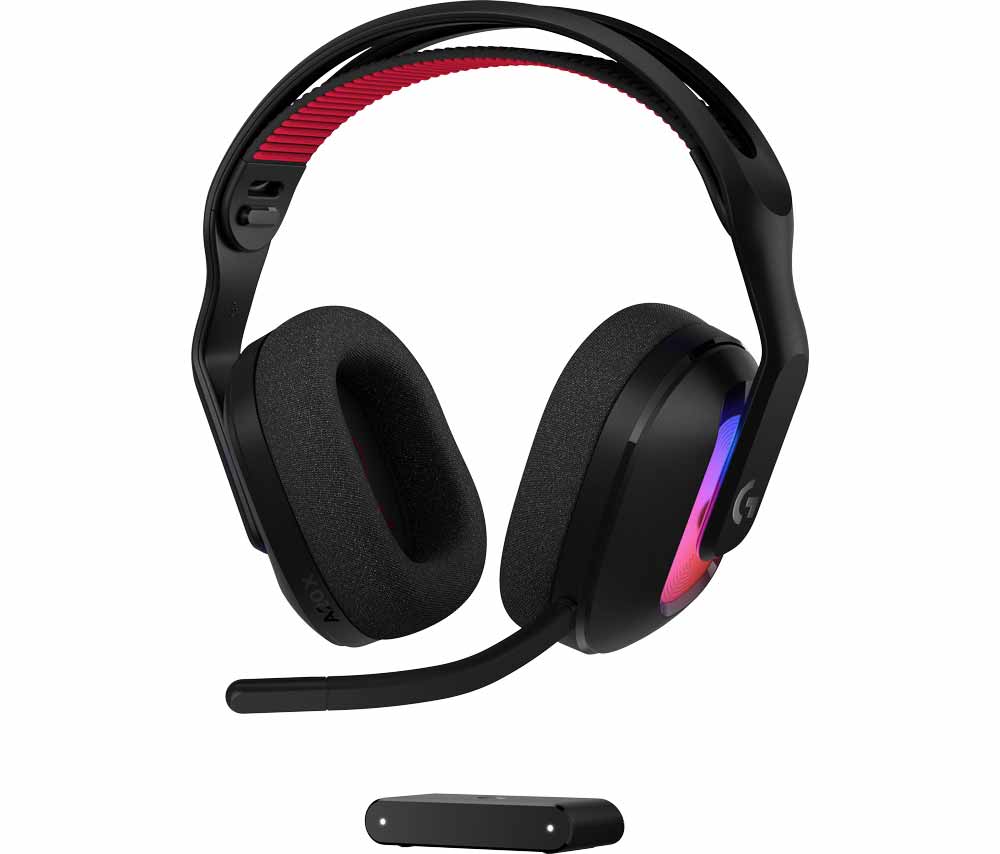
The A20 X is aimed at gamers, as is evidenced by its customisable RGB lighting scheme perfect for flexing streamers. Having these running gives you 40 hours of battery life, or 90 hours without. Why not have a party going off on your head though?
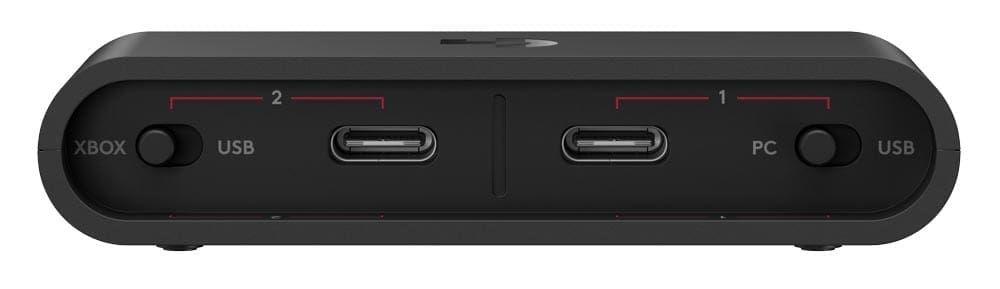
The A20 X comes with a small PLAYSYNC AUDIO hub with two device input plugs in the back, ideally one for your xbox or switch console and the other your PC. Two lights on the front show which one you’re connected to, and a red button on the back of the headset hot-swaps between the two audio sources. If you want to then switch to listening to music on your phone the obligatory bluetooth button has got you covered. I quite enjoy having the hub somewhere between my mouse and my Switch, it gives a good solid connection and makes me feel in control at all times. Not that I’ve ever hit the edge of the 30 meter wireless range.
It comes with a detachable 48 kHz high-resolution microphone and a 40 mm PRO-G Audio Driver that bats with the heavy hitters like the A50 X which I already use for recording Youtube clips. The headset has a mute button, and using it while the mic is plugged in lights up the tip of mic with a red LED letting you visually see out the corner of your eye that your friends can’t hear you as you go screaming to your demise in PEAK.
If the sound isn’t quite to your liking the Logitech G Mobile App lets you tweak settings via the 10-band EQ.
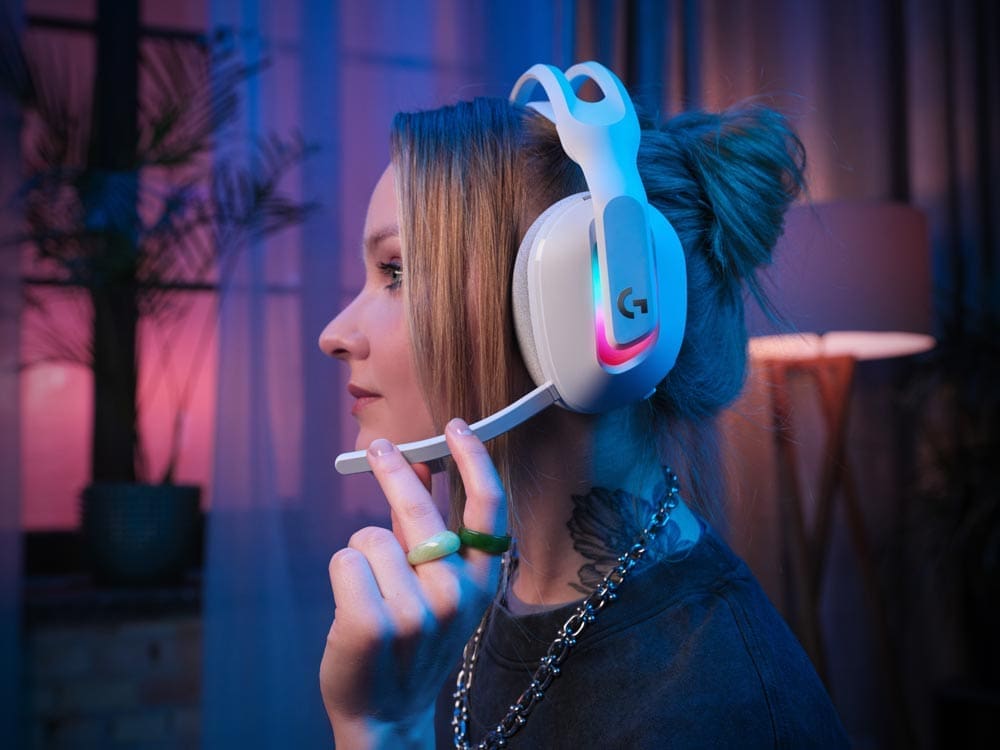
On the side I make Youtube video reviews. Normally I record audio with the A50 X, but this has taken over completely as my headset of choice for recording. It’s also comfortable the entire time I’m editing as well, so that’s a bonus.
Overall this headset fills a comfortable position between a regular pair of the headphones, and the A50 X and it’s large desk footprint it takes up with its charging base. Big Recommend.
The Master Is Ready to Rumble
My original MX Master 3S has been the professional workhorse of my desktop life, still going strong, but Logitech has said, no, we can improve perfection by releasing the MX Master 4. So here we are. Straight out of the box the MX Master 4 is everything we’ve come to love about the MX line of mice. The most immediate standout addition has to be the new built-in haptic feedback inset into where your thumb rests. While pairing with your PC it’ll subtly donk your finger to let you know it’s working on it. Throughout the day it offers a more tactile experience while scrolling, navigation and selecting things. It can be even set up for hyper specific tasks like giving you a bip if someone raises their hand during a Zoom call. This haptics pad also acts as a smart actions button, so holding it down brings up a ring of options around your mouse for quick access and task completion.
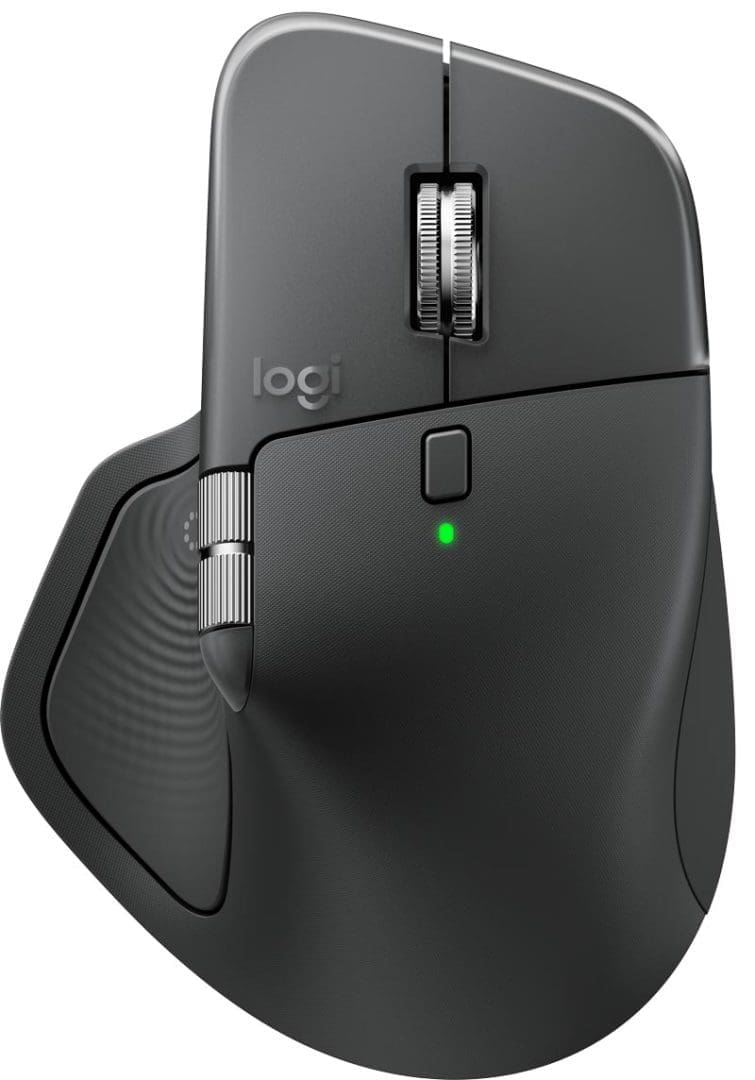
If you’ve had connection issues in the past because you’re using your mouse as a media machine controller from your couch then you’ll be pleased to know that device connection strength has been doubled over its predecessors via a new high-performance chip and optimised antenna placement.
Beside the usual Back/Forward button by the thumb is a brand new third button for gestures, so hold to and then swipe with your mouse to perform an action. If you’re fussy about your settings or need power saving options you can also use Options+ to tune or turn off haptics to suit.
A 1 minute charge via USB-C delivers 3 hours of use time while a full charge lasts 70 days.
Also the thunderbolt connection dongle is now a snug USB-C, so if you’re running older hardware with less USB-C slots then you might have to rely on the Bluetooth connection, which works perfectly fine. Otherwise USB-A to C adapters are only a few bucks.
I’ve never had issues with the sound on the original MX mice, but this new mouse now offers a 90% reduction in sound on clicks, so now you can be twice as productive while being substantially quieter around your coworkers. Now if only they could make a keyboard silent enough to withstand the pummeling my editor gives his keystrokes.